Map Bill of Lading Data to DCSA/UN for Freight Ops
Operations-first playbook for bill of lading data extraction: map fields to DCSA and UN schemas, pilot with bol-bench, and prevent TMS write-back errors.

Document AI, not raw OCR, is the reliable way to handle bill of lading data extraction for TMS write-back. The DCSA Bill of Lading 3.0 standard already defines what a canonical B/L record should contain, and field-level accuracy (not the character-level accuracy vendors love to quote) is what determines whether that data is safe to load into a live system. The practical path: pilot with structured CSV exports, validate against operator corrections, then move to API or webhook integration for straight-through processing.
TL;DR:
- Field-level validation, including container check digits and date plausibility, is crucial for ensuring extracted B/L data is accurate and reliable.
- Starting with pilot projects using CSV exports helps identify edge cases and validate accuracy before moving to real-time API or webhook integrations.
- Validation should flag and route ambiguous or low-confidence fields to human reviewers, preventing silent data errors from affecting operations.
- Benchmarking extraction tools with realistic carrier and scan quality datasets provides a true measure of field-level accuracy and operational readiness.
- Building a clear, detailed field dictionary and validation rules before vendor selection prevents vague solutions and ensures continuous control over the process.
Table of Contents
- What Is Bill of Lading Data Extraction?
- How Extraction Actually Works: From Scanned Image to Clean Data
- Validating Extracted Data and Mapping It to Industry Standards
- Integrating Extraction Into Your TMS, ERP, and Workflow
- Rolling Out Bill of Lading Automation Without Breaking Anything
- What Nobody Tells You About Automating Freight Documents
- Getting Your Own Bill of Lading Extraction Running
- Standards and Benchmarks Worth Bookmarking
- Sources
- FAQ
What Is Bill of Lading Data Extraction?
Bill of lading data extraction is the process of pulling structured, usable information out of a B/L document, whether it arrives as a PDF, a scanned image, or an email attachment, and turning it into fields a TMS or ERP can consume without a human retyping anything. That sounds simple until you look at what a real B/L actually contains: multiple parties, repeatable cargo lines, container and seal numbers, dates that can be plausible-looking but wrong, and monetary fields tied to Incoterms that change meaning depending on the trade lane.
A field-by-field extraction dictionary is where every serious implementation starts. Here’s the core set that DCSA’s data model and most freight operations treat as standard:
- Identifiers and parties: B/L number, booking or consignment reference, shipper, consignee, notify party, and freight payer.
- Cargo and equipment: cargo description lines, container numbers, seal numbers, package counts, gross/net weight, volume, and the units attached to each.
- Routing and transport: carrier name, vessel and voyage number, port of loading, port of discharge, and place of origin/destination.
- Dates and negotiability: issue date, shipped-on-board date, whether the B/L is negotiable (“to order”) or straight, and whether it’s an electronic B/L (eBL) or a paper original.
- Financial terms: freight prepaid or collect flags, freight amount, currency, Incoterm, and any special clauses.
Container numbers and seal numbers deserve special handling. Both should be modeled as repeatable child records, not flattened into a single spreadsheet column, because a single B/L can list a dozen containers with different weights and seal numbers each. Treating cargo lines as structured, repeatable records instead of one long text block makes reconciliation against a booking or invoice possible later. Skip this step and you’ll be untangling comma-separated container lists by hand six months into your rollout.
Negotiability and document type matter more than most teams initially assume. A physical B/L, an electronic B/L, and a sea waybill carry different legal weight, and extraction needs to preserve that distinction, not just the text on the page. Get this field wrong and you can misroute a shipment that legally requires an original negotiable document versus one that can release on a straight B/L.
How Extraction Actually Works: From Scanned Image to Clean Data
Raw OCR reads characters. It does not know that the string sitting under “Consignee” is a company name, or that a twelve-character alphanumeric code next to a container icon is subject to a check-digit rule. That distinction is why OCR alone consistently disappoints logistics teams trying to automate freight document extraction, and it’s also why the pipeline needs several distinct stages working together.
- Preprocessing. Real-world B/Ls rarely arrive as clean PDFs. They show up as phone photos, faxed scans, or low-resolution attachments. Deskewing, denoising, and normalizing DPI before OCR runs meaningfully improves what the engine can read.
- Document classification. The system needs to know it’s looking at a B/L and not a packing list or commercial invoice before it picks an extraction model, since applying the wrong template produces confident-looking garbage.
- Semantic extraction. This is where document AI, or intelligent document processing (IDP), earns its name. Instead of matching a fixed template, it identifies fields by meaning and position, which is essential because freight documents vary wildly by carrier layout and template-based tools break the moment a new carrier format shows up.
- Table parsing. Cargo lines, container numbers, and weights typically sit in table structures spanning multiple rows, and this needs dedicated table-extraction logic rather than generic text scraping.
- Normalization. Dates get converted to one format, weight units get standardized (kilograms vs pounds, metric tons vs short tons), and company names get matched against a master party list so “Maersk Line” and “A.P. Moller Maersk” resolve to the same shipper.
Character-level OCR accuracy runs 98% to 99.5% on clean documents but drops to 90% to 96% on degraded freight scans, and that gap is exactly where manual data entry hides. A single missed digit on a container number doesn’t look wrong to a spreadsheet; it looks wrong to a container yard three weeks later.
Pro Tip: Ask any vendor for field-level accuracy on your own carrier mix and scan quality, not their marketing claim about character-level OCR percentage. Those two numbers can differ by ten points or more.
Validating Extracted Data and Mapping It to Industry Standards
Extraction without validation is just automated guessing with better formatting. Every field pulled from a B/L needs a specific check, because a plausible-looking value and a correct value are not the same thing.
- Requiredness checks: flag missing mandatory fields (B/L number, consignee, ports) before the record moves downstream.
- Container check digits: every ISO 6346 container number carries a check digit, and validating it catches OCR misreads that a human proofreader would miss on a quick scan.
- Date plausibility: a shipped-on-board date after an arrival date, or a B/L issued before a vessel departed, should trigger a hold, not a silent pass.
- Numeric and unit consistency: line-item weights should sum to the stated total weight within a reasonable tolerance, not exactly, since rounding is normal, but wide gaps are not.
- Duplicate reference detection: the same booking or B/L number appearing twice across separate shipments usually signals a data entry error upstream.
Every extracted value should retain its source page and bounding region, so an operator reviewing an exception can see exactly where the number came from without re-opening the original PDF and hunting for it.
Once fields pass validation, map them to a recognized schema rather than an internal one-off format. The DCSA Bill of Lading 3.0 data model and the UN/UNECE Verifiable Trade Documents schema both exist specifically so that a B/L extracted by one system means the same thing to the next system down the chain. Skipping this step is how two departments end up with two different definitions of “consignee” and nobody notices until an audit.
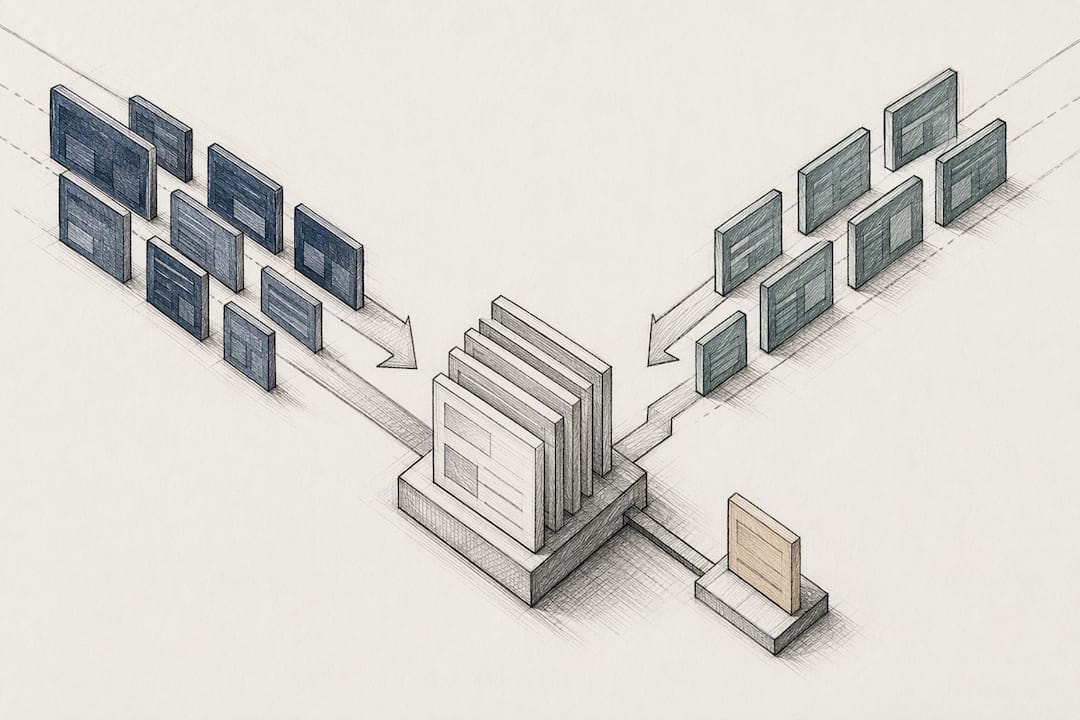
The decision rule that matters most operationally: auto-accept only fields that pass every check with high confidence, and route anything ambiguous, low-confidence, or failing a plausibility test to a human reviewer. On a well-tuned pipeline tested against a benchmark like bol-bench, that review queue should shrink fast, but it should never hit zero. A queue of exactly zero exceptions usually means the validation rules are too lenient, not that the pipeline is perfect.
Integrating Extraction Into Your TMS, ERP, and Workflow
The extraction pipeline only pays for itself once its output triggers the next action automatically. A perfectly structured B/L record sitting in a data lake with no destination is a more elegant version of the manual process it was supposed to replace.
- Start with a pilot using CSV or Excel exports. This lets operations teams eyeball extracted fields against source documents without touching production systems, and it surfaces edge cases in your specific carrier mix before you commit to a build.
- Move to API or webhook integration for straight-through processing. Once field-level accuracy on your pilot data clears an acceptable threshold, push validated records directly into your TMS or ERP in real time instead of batching CSV imports.
- Build matching logic for reconciliation. Match B/L data against booking references and container IDs first, since those are exact-match fields; fall back to fuzzy matching on weights or date windows only when exact matches fail, since freight weights often carry small rounding differences between documents.
- Design the exception workflow before you need it. Every exception should preserve the source image, the specific bounding region flagged, a log of what the operator changed and why, and a retry path if the correction needs reprocessing.
The downstream use cases are where the real time savings show up: automatic shipment creation in the TMS, customs pre-fill from validated cargo and party data, freight-audit matching against invoices, and exception notifications sent the moment a container number fails its check digit. Extracted data that never leaves the extraction tool still leaves someone manually reconciling containers against invoices, which defeats the point of automating in the first place.
Rolling Out Bill of Lading Automation Without Breaking Anything
Most automated bill of lading processing failures aren’t extraction failures. They’re rollout failures, where a team turns on write-back before trust in the data is actually earned. A phased approach avoids the two-week fire drill that follows a rushed launch.
- Phase 1, side-by-side. Run extraction alongside your current manual process and compare outputs without touching production data.
- Phase 2, validated automation on low-risk fields. Automate fields with the clearest validation rules first (dates, port codes) while keeping cargo values and financial terms under manual review.
- Phase 3, broader automation. Expand write-back once error rates on Phase 2 fields stay low across multiple carriers and document qualities.
- Phase 4, full write-back with controls. Enable automatic TMS updates with audit logging and a defined escalation path for anything flagged.
Before you evaluate a single vendor, build your own field dictionary: for every field, define the datatype, allowed units, required versus optional status, and where it maps in your destination system. Vendors selling against a vague requirement will happily sell you a vague solution.
Benchmark any tool against a realistic carrier-mix test set, not the vendor’s demo document. A dataset like bol-bench scores extraction using set-F1 for list fields like container numbers and tolerant numeric matching for weights, which reflects how these fields actually get judged in production rather than a strict character match.
Track three operational metrics once live: field-level accuracy by field type, exception rate as a percentage of total documents, and mean time to resolution (MTTR) for flagged exceptions. Set an internal SLA for each.
Pro Tip: Never let a system silently correct an uncertain container number or reference to “the closest valid value.” Route it to a human, keep the original image attached, and log the eventual correction. A silently coerced digit is worse than a flagged exception because nobody knows to check it.
What Nobody Tells You About Automating Freight Documents
The conventional pitch around bill of lading automation focuses almost entirely on speed, and speed is real, but it’s not the part that determines whether a rollout succeeds or quietly fails six months in. What actually determines success is whether a team built validation and audit trails before they built volume.
Most freight operations already know OCR alone isn’t enough. What surprises teams is how much of the actual risk sits in fields that look fine to a human skimming a document but fail a strict check, a container check digit that’s one number off, a date that’s plausible but chronologically impossible. Logentic’s own experience automating email-based document processing backs this up directly: the AI agent Alex cuts a task that used to take several minutes per document down to about eight seconds, but that speed only holds because the extraction is paired with validation, not because OCR got faster. Alex reads incoming emails, extracts the relevant B/L and CMR data, and writes it into the TMS automatically, which removes the manual re-keying step where most transcription errors actually originate.
The gap between what automation promises and what teams experience usually comes down to one decision: whether uncertain values get silently guessed or explicitly flagged. Teams that treat every low-confidence field as a review item, rather than a nuisance to eliminate, end up trusting their automation faster, not slower, because they can point to exactly where and why something went to a human. Logentic’s guide to bill of lading fundamentals exists partly because operations teams keep discovering, mid-rollout, that they never fully agreed internally on what each field means. That disagreement, not the OCR engine, is usually the real bottleneck.
— Bogdan
Getting Your Own Bill of Lading Extraction Running
An AI agent can be built to extract B/L and CMR data from incoming emails, validate it against the checks that matter, and write it straight into an existing TMS without replacing current systems. Such solutions may integrate with systems like CargoWise, Softpak, Descartes, and Portbase, so the pilot-to-production path doesn’t require a system migration.

If you’re weighing document AI against a template-based tool or another manual hire, the honest next step is a small, contained test: run a batch of your own B/Ls, spanning your actual carrier mix and scan quality, through Logentic’s B/L and CMR processing and compare field-level accuracy against your current process. You can also start from the email side with Email Automation if most of your B/Ls arrive as attachments rather than uploads. Either way, a short pilot will tell you more than another vendor demo will.
Standards and Benchmarks Worth Bookmarking
For teams building or evaluating an extraction pipeline, four references are worth keeping close: the DCSA Bill of Lading 3.0 standard for canonical field definitions, the UN/UNECE Verifiable Trade Documents schema for structured cargo and equipment modeling, bol-bench for field-level accuracy testing across carrier layouts, and practitioner notes on OCR accuracy for realistic expectations on scan quality. Import compliance teams should also review BMSB-related documentation checks, since inaccurate B/L data can trigger inspection delays before a vessel even sails.
Sources
- DCSA
- UN/UNECE Verifiable Trade Documents — Bill of Lading schema
- OCR accuracy practitioner notes
- DCSA Interface standard Bill of Lading 3.0 Beta 1 (Data overview)
FAQ
What Is Bill of Lading Data?
Bill of lading data is the structured set of shipping information a carrier issues to confirm receipt of cargo, including shipper and consignee details, container and seal numbers, ports of loading and discharge, weights, dates, and freight terms. The DCSA Bill of Lading 3.0 standard defines the full canonical field set and marks each as mandatory, conditional, or optional depending on the shipment type.
How Can I Extract Data From Bills of Lading Automatically?
The reliable method combines OCR with document AI (also called IDP) that classifies the document, extracts fields by meaning rather than fixed position, and validates each value before it reaches your TMS. Tools like Logentic’s B/L and CMR processing apply this approach directly to email attachments, cutting per-document handling time to roughly eight seconds.
What Are the Three Types of Bill of Lading?
The three main categories are the physical bill of lading, the electronic bill of lading (eBL), and the sea waybill, and each carries different legal and negotiability treatment. A physical or electronic B/L can be negotiable (“to order”), while a sea waybill typically is not, which changes how cargo release is handled at the destination port.
What Information Must Appear on a Bill of Lading?
At minimum, a B/L must show the B/L number, shipper, consignee, carrier, vessel and voyage, ports of loading and discharge, cargo description, container and seal numbers, weight, and issue date. Additional conditional fields like notify party, freight terms, and Incoterms appear depending on the shipment and trade lane, per the DCSA data model.
Does Logentic Replace My Existing TMS?
No. Logentic integrates with systems you already run, including CargoWise, Softpak, Descartes, and Portbase, rather than requiring a migration. Pricing details for Freight forwarder software and related services are available directly on Logentic’s site.
Recommended
Want to see how Logentic automates this work?
Book a call →