8 Second Invoice Data Capture for Logistics and AP Teams
How AI invoice data capture turns carrier PDFs and emails into validated, TMS-ready freight data. See extraction coverage, integration paths, vendor...

AI-powered invoice data capture converts carrier PDFs, emailed invoices, and paper scans into validated, TMS-ready data, cutting manual entry time and disputed line items by a wide margin. Logentic’s own email automation shows the ceiling on speed, dropping per-document handling from several minutes to about eight seconds. The rest of this guide covers what fields actually get captured, how the extraction pipeline works end to end, how it plugs into your TMS or ERP, and what to check before you sign a vendor contract.
TL;DR:
- Manual freight invoice reconciliation can take 45 to 60 minutes per document, especially when discrepancies require manual investigation.
- Template-based OCR tools often fail when carriers change invoice layouts, making template-free document AI essential for reliable extraction.
- Accuracy of high-volume extraction for line items and surcharges typically exceeds 98 percent, but varies depending on document quality and carrier diversity.
- Integration with existing TMS or ERP systems is generally quick, with pilot deployments often taking two to four weeks, focusing on high-volume carriers first.
- Automating invoices is most cost-effective when handling over a few hundred invoices monthly; below that volume, data cleanup and standardization should be prioritized.
Table of Contents
- What Is Invoice Data Capture in Logistics?
- Why Does Manual Freight Invoice Processing Cost So Much?
- How Does AI-Powered Invoice Capture Actually Work?
- What Invoice Data Can Actually Be Extracted?
- How Does It Integrate With TMS and ERP Systems?
- How Do You Evaluate an Invoice Capture Vendor?
- What Does a Real Freight Automation Implementation Look Like?
- When Should You Automate vs. Fix Your Data First?
- Ready to Pilot Invoice Automation in Your Operation?
- Sources
- FAQ
What Is Invoice Data Capture in Logistics?
Invoice data capture is the automated extraction of structured information from freight billing documents so it can be validated and posted into a TMS or ERP without a person retyping it. In logistics specifically, that means reading not just an invoice total but the shipment context around it: reference numbers, surcharge breakdowns, and the proof-of-delivery paperwork carriers attach to justify the charge.
- Freight invoices: the primary billing document, often with a dozen or more line items per shipment
- Bills of lading (BOL/BL): the shipment record an invoice must match against
- Proof of delivery (POD): confirms the freight actually moved as billed
- Packing lists and customs certificates: supporting documents for cross-border loads
Most platforms accept PDFs, scanned images, and increasingly the raw text of an email body itself, arriving through email inboxes, carrier portals, EDI feeds, or direct API pushes. Coverage matters here: a tool that only handles clean PDF invoices will stall the moment a carrier sends a photographed paper copy or an EDI 210 transaction, and freight AP departments deal with all of the above in the same week.
Why Does Manual Freight Invoice Processing Cost So Much?
Manual processing breaks down because freight invoices are not standardized the way a typical vendor bill is. Every carrier formats its surcharges differently, some list fuel surcharge as a percentage and others as a flat fee, and a template built for one carrier’s layout is useless the moment a new lane or partner is added.
That variability is expensive. Veryfi reports that manual reconciliation of a single freight invoice against shipment and rate data can take 45 to 60 minutes when a discrepancy needs tracing by hand. Multiply that across a mid-size freight forwarder handling hundreds of invoices a week and the math turns into a full-time job dedicated purely to chasing exceptions.
The downstream damage compounds further:
- Mismatched line items get coded to the wrong general ledger account, distorting accrual accuracy
- Slow processing pushes invoices past payment terms, triggering late fees or straining carrier relationships
- Disputed charges that go unresolved for weeks erode trust between forwarder and carrier
- Overpaid surcharges rarely get clawed back once an invoice has already been approved and paid
None of this shows up as a single line on a P&L. It shows up as an AP team that’s perpetually behind, a controller who can’t close the books on schedule, and carriers who start double-checking every invoice a forwarder disputes because the error rate has become a pattern rather than an exception.
How Does AI-Powered Invoice Capture Actually Work?
The pipeline runs in four stages, and each one has a distinct failure mode worth understanding before you evaluate a vendor.
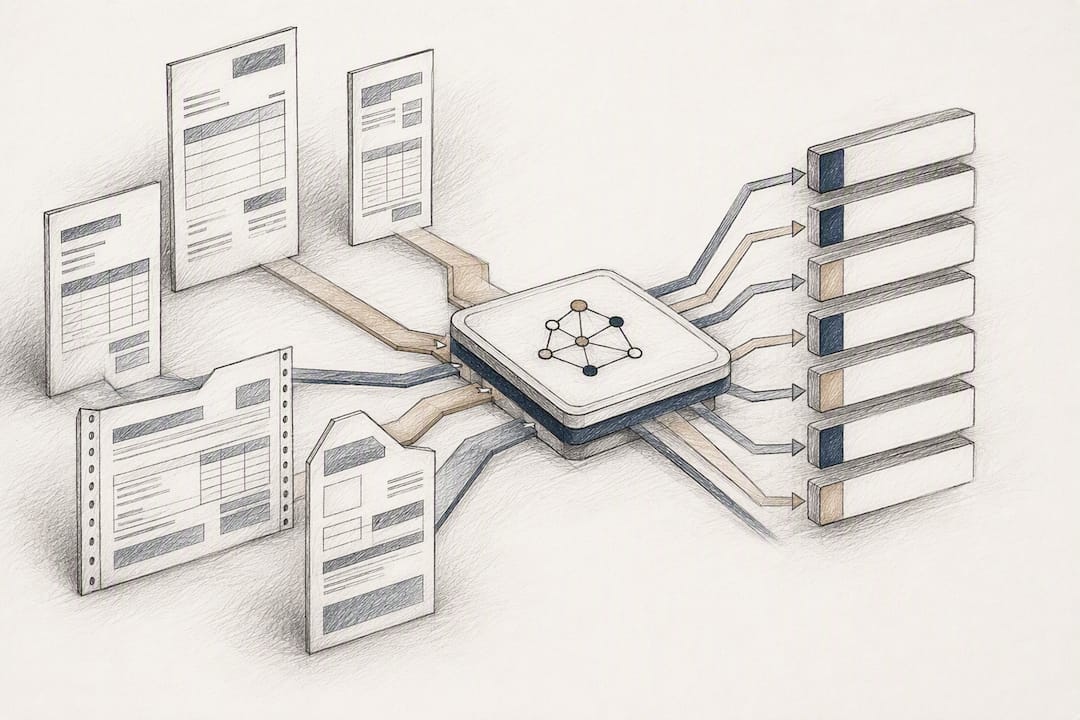
- Ingest. Documents arrive through email parsing, a carrier upload portal, EDI, or API, and the system runs pre-processing: straightening skewed scans, cleaning image noise, and detecting the document’s language before extraction even starts.
- Extract. Template-free OCR paired with document AI or large language models reads the page without relying on a fixed layout, which matters because freight invoices carry dozens of logistics-specific fields that shift position from carrier to carrier. This is the stage where line items, unlike header totals, need genuine contextual parsing rather than simple pattern matching.
- Validate. Extracted data gets checked against business rules: contracted rate cards, duplicate invoice detection, and a confidence score attached to every field. SpendConsole notes that separating a real billing error from acceptable rate variance requires matching against the contracted rate itself, not just a plausible-looking number.
- Export. Validated data maps into TMS or ERP fields, gets coded to the correct GL account, and posts to accruals. Anything below the confidence threshold routes to a human reviewer instead of posting blind.
The distinction between template-based OCR and modern document AI matters more than most buyers realize going in. Template systems break the moment a carrier tweaks its invoice layout, which happens more often than logistics teams expect. Template-free models built on document AI keep working without a re-configuration project every time a carrier redesigns its billing PDF.
Pro Tip: Ask any vendor demo to show you a document type it has never seen before, live. If accuracy collapses on an unfamiliar carrier format, you are looking at template-based OCR wearing an AI label.
What Invoice Data Can Actually Be Extracted?
Extraction coverage falls into four practical categories, and vendors vary most in the second and third.
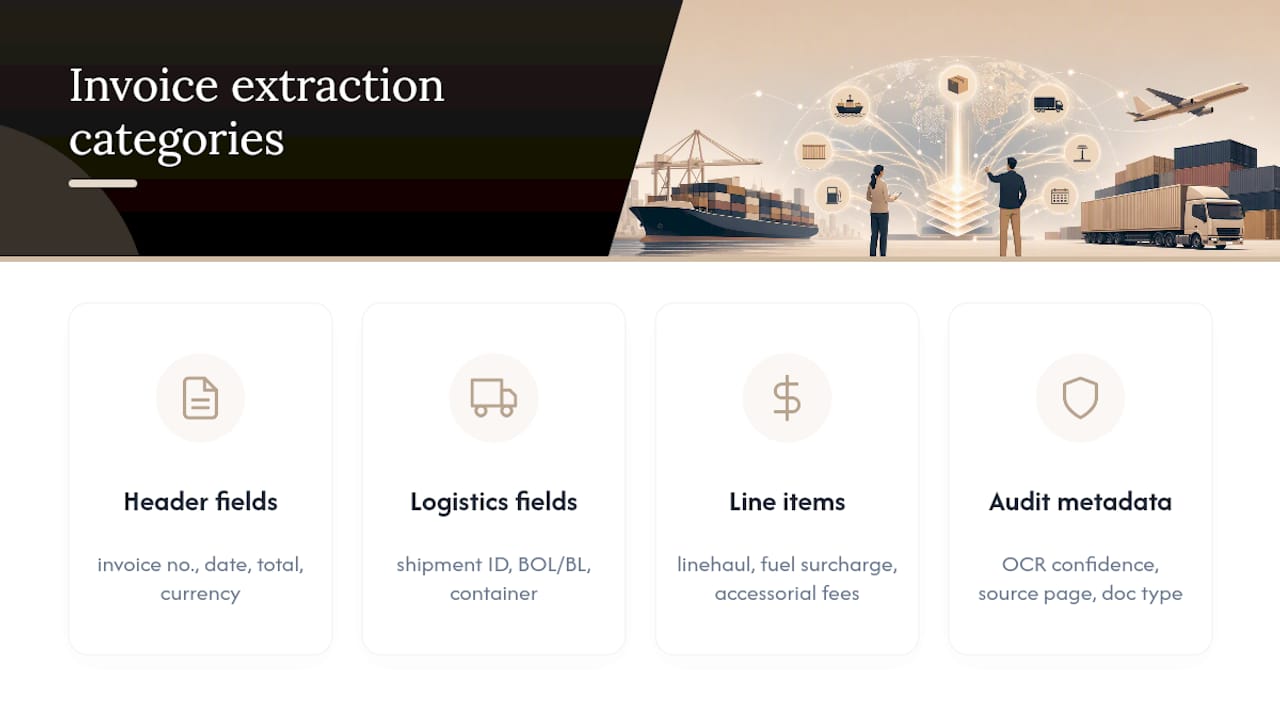
Header fields are the easiest and most reliably captured: invoice number, issue date, supplier name, total amount, currency, and payment terms. Most modern tools clear this bar without much trouble.
Logistics-specific fields are where generic invoice-capture tools fall short and freight-specialized platforms earn their keep: shipment ID, BOL or BL reference numbers, container ID, carrier name, and origin/destination pairs. For ocean and air freight, this extends to references validated against standards bodies like the ICC’s Incoterms for delivery terms, or IATA’s CASS framework for airline finance data on air waybills.
Line items and surcharges demand the deepest parsing: linehaul charges, fuel surcharge, accessorial fees, weight or quantity, and unit pricing. High-volume AP platforms report extraction accuracy above 98% on common document types at this level, though that figure is vendor-reported and varies by document quality and carrier mix.
Audit metadata rounds it out: OCR confidence per field, the source page extracted from, and automatic document-type classification, all of which matter when an auditor asks how a number got onto the books.
How Does It Integrate With TMS and ERP Systems?
Integration rarely means ripping out your existing platform. Altamira’s analysis makes the case plainly: a modern extraction layer sits on top of your current ERP or TMS through APIs and middleware, which means the migration risk that scares most operations teams off automation projects simply doesn’t apply here.
- Choose the integration pattern. API connections and prebuilt connectors are fastest to deploy; file-based exports in JSON or CSV work as a fallback when a system has no open API.
- Pick the first intake channel. Email is usually the highest-leverage starting point, since it remains the primary submission channel many carriers and partners still use, and automating email parsing alone often eliminates the bulk of manual re-keying before any other channel gets touched.
- Scope the pilot. Run it against a defined carrier subset and document volume, and track cycle time, touchless rate, and exception rate from day one so you have a real baseline to compare against full rollout.
- Operationalize exception handling. Set the confidence threshold that triggers human review, assign an owner for exceptions, and define a monitoring cadence so drift in accuracy gets caught early rather than three months later.
Timelines here run faster than most AP leaders expect. Document-AI vendors report pilots reaching production in as little as two to four weeks when the scope stays tight and one integration path is confirmed before kickoff. Partner integration guides, including Synaptix’s PDF extraction walkthrough, describe similarly compressed rollout windows when the extraction layer connects through standard middleware rather than a custom build.
Pro Tip: Start the pilot with your three highest-volume carriers, not your messiest ones. You want a clean early win that proves the model before you throw your worst-formatted invoices at it.
How Do You Evaluate an Invoice Capture Vendor?
Run every vendor conversation against the same criteria, and ask for numbers, not adjectives.
- Accuracy and touchless rate: ask how the figure is measured, on what document mix, and over what volume, since a vendor’s best-case demo number rarely matches your carrier mix
- Format and currency coverage: confirm the tool handles your actual carrier list, languages, and currencies, not just a generic sample set
- Integration effort: check connector availability for your specific TMS or ERP, and get a real estimate of the mapping work required before go-live
- Security posture: confirm encryption standards, data residency, and whether the vendor will sign a data processing agreement
- Pilot KPIs: request cycle time, touchless percentage, exception rate, cost per invoice, and an honest ROI timeline before you commit budget
| Evaluation Area | What to Ask For | Why It Matters |
|---|---|---|
| Accuracy reporting | Measurement method and document sample size | Vendor-reported accuracy varies by document quality |
| Format coverage | List of supported carrier formats and languages | Template-free models handle format drift better |
| Integration | Confirmed connector for your specific TMS/ERP | Determines real deployment timeline, not marketing timeline |
| Security | DPA terms and data residency policy | Freight invoices carry commercially sensitive rate data |
| Pilot metrics | Cycle time, touchless rate, exception rate, cost per invoice | Gives you a comparable baseline before full rollout |
What Does a Real Freight Automation Implementation Look Like?
Logentic’s own deployment pattern is a useful reference point precisely because it started narrow: the AI agent, Alex, reads incoming operational emails, extracts the relevant shipment and billing data, and enters it directly into the TMS.
- Speed claim: Logentic’s email automation drops processing time from several minutes of manual entry to roughly eight seconds per document in typical implementations
- Integration approach: the system connects to existing TMS platforms rather than requiring a system replacement, following the same non-disruptive pattern described earlier for B/L and CMR document processing
- Deployment expectation: forwarders moving from pilot to production should expect the connector and mapping work to be the bulk of the timeline, not the extraction accuracy itself
Detailed client case studies, named testimonials, and per-client efficiency metrics for this deployment pattern are not yet published in detail. What’s available today is the core mechanism: email intake, AI-driven extraction, and direct TMS entry, replacing a task that traditionally consumed a meaningful share of an operations coordinator’s day.
When Should You Automate vs. Fix Your Data First?
Automation earns its cost fastest above roughly a few hundred invoices a month, where manual reconciliation time scales linearly but software cost doesn’t. Below that volume, the math is closer, and it often pays to fix data hygiene first: clean up rate cards, standardize GL coding rules, and resolve chronic carrier disputes before layering AI on top of a messy foundation. A tight pilot, three carriers, sixty days, measured against cycle time and touchless rate, tells you more than any vendor deck.
— Bogdan
Ready to Pilot Invoice Automation in Your Operation?
Logentic replaces the manual re-keying step entirely instead of just speeding it up. Where most invoice-capture tools still ask an AP clerk to review and confirm every extracted field, Alex reads the incoming email, pulls the shipment and billing data, and posts it straight into your TMS in about eight seconds, with no template setup required for new carrier formats.

If you’re weighing a pilot, start by pulling together a sample set of your last month’s invoices, a rough monthly volume estimate, and the name of your current TMS. That’s enough for a real conversation about fit. From there, you can request a pilot walkthrough of email automation or read the broader guide to AI-driven TMS integration to see how the data flows once it lands in your system.
Sources
For deeper technical grounding beyond this guide, Altamira’s writeup on invoice data capture covers non-disruptive integration patterns in more depth. Veryfi’s freight OCR documentation details the specific field types freight invoices carry. For standards questions on delivery terms, the ICC Incoterms rules remain the authoritative reference, and IT teams planning connector work should review Logentic’s AI vs. OCR comparison.
- Altamira
- Freight Invoice OCR API | Veryfi
- AP Automation For Transport & Logistics | SpendConsole
- AI-Driven Document Processing Automation for Logistics
FAQ
What Is Invoicing in Logistics?
Invoicing in logistics is the process of billing for freight movement, covering linehaul charges, surcharges, and accessorial fees tied to a specific shipment, verified against a bill of lading or similar shipment record.
What Are the Best AP Software Options for Logistics Teams?
The strongest options combine general AP automation with freight-specific matching against rate cards and shipment data. Platforms like SpendConsole focus specifically on multi-currency freight matching, while Logentic focuses on automating the email intake step that feeds data into your existing TMS.
What Is the Best Accounting Software for Logistics?
There is no single best answer since it depends on your existing ERP and TMS stack. The better question is whether your accounting or AP platform can connect to a specialized freight invoice capture layer through API or middleware rather than requiring a full system replacement.
What Is the Best Software for Scanning Invoices?
The best scanning software for freight invoices uses template-free OCR combined with document AI, since fixed templates break whenever a carrier changes its invoice layout. Look for a tool that reports accuracy on carrier formats similar to your own mix, not just a generic benchmark.
How Long Does an Invoice Capture Pilot Typically Take?
Most document-AI vendors report pilots reaching production within two to four weeks when the scope is limited to a defined carrier subset and one confirmed integration path, according to Unstract’s implementation data.
Recommended
Want to see how Logentic automates this work?
Book a call →